Whether you’re sending documents, delivering customer orders or moving larger items across London, the Lalamove app helps you arrange a delivery in a few simple steps.
To place an order on the Lalamove app, enter your collection and drop-off locations, choose your collection time and vehicle, add delivery notes and payment details, then review and confirm your booking.
Lalamove UK supports single-drop deliveries and routes with up to 20 stops. Once a driver has been matched, you can follow your order with real-time tracking in the ap
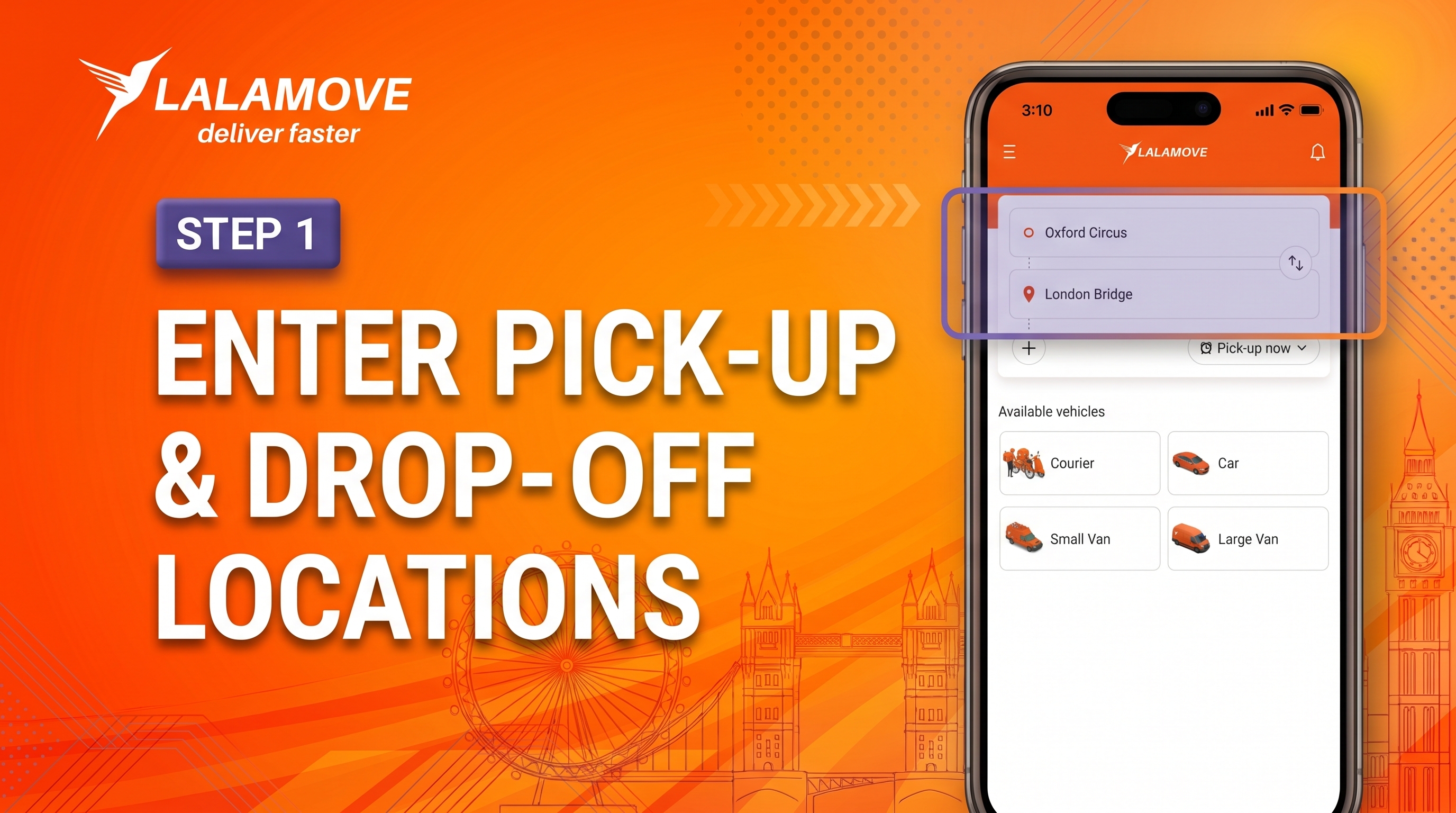
Step 1: Enter your collection and drop-off locations
Open the Lalamove app and start by adding:
- Your collection address
- Your drop-off address
- Sender and recipient contact details, where requested
- Any building, flat, unit or entrance information needed for collection or delivery
Make sure your addresses are complete and accurate. For London deliveries, include the full postcode and any details needed to find the correct entrance, reception desk or collection point.
If your order involves more than one location, select “+ Add Stop” while setting up your booking. Lalamove UK supports routes with up to 20 stops, and you can rearrange the sequence of drop-offs to suit your route.
Tip: Include practical details such as a building name, flat number, loading-bay instructions or a request to call on arrival.
Step 2: Choose your collection time Fill in the required fields:
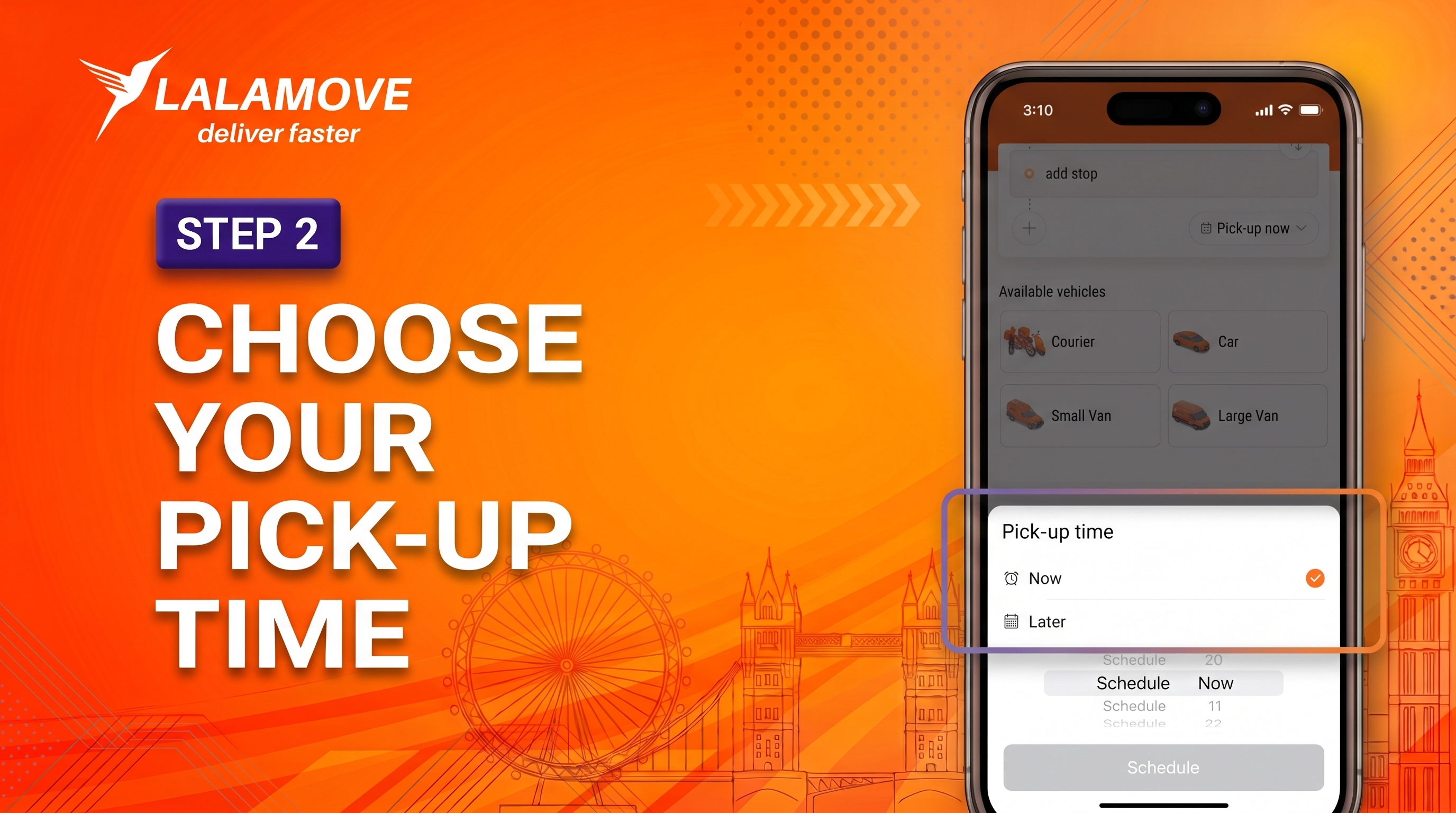
Select when you would like your items to be collected:
- Choose an immediate order if you would like a driver to collect your delivery as soon as possible.
- Choose “Later” if you would like to schedule a collection for a specific date and time, up to 30 days in advance.
Before you continue, make sure someone is available to hand over the items at the collection point. For offices, shops and event venues, check opening hours, reception procedures and any access arrangements before booking.
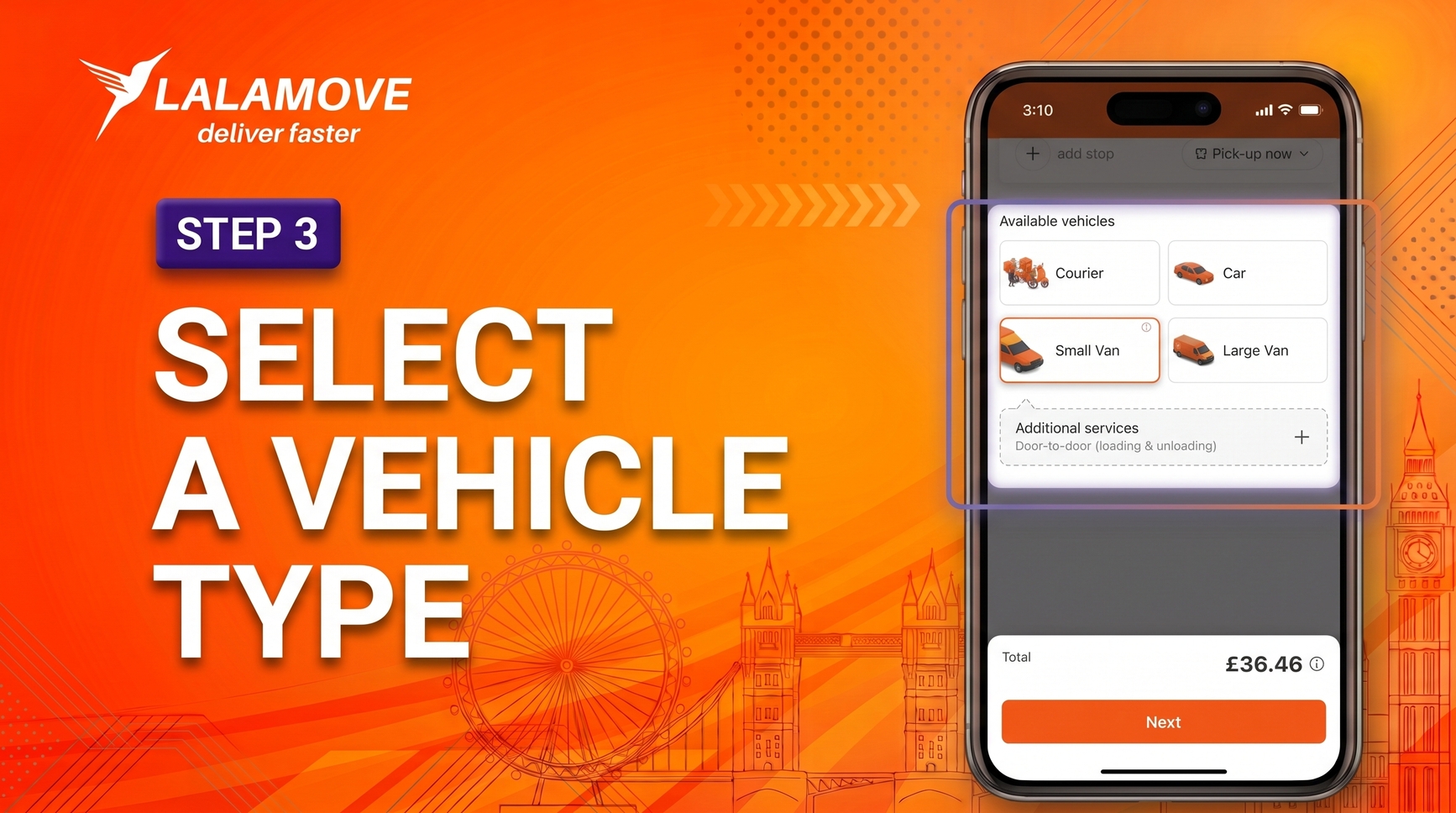
Step 3: Select the right vehicle
Choose a vehicle based on the size, weight and number of items you are sending. Measure your items and packaging before booking, and check the vehicle capacity details in the app.
Lalamove UK lists the following vehicle options:
|
Vehicle type |
Suitable for |
Maximum weight
|
|---|---|---|
|
Courier |
Small goods, flowers, food and documents |
5 kg |
|
Car |
Small-to-medium items and fragile goods |
70 kg |
|
Small van |
Boxes, equipment and small furniture |
600 kg |
|
Large van |
Larger loads of boxes, furniture, equipment and bulk items |
1,100 kg |
If you are unsure which vehicle is right for your items, use the information button in the app to review the capacity details for each available vehicle. You may also see add-on services, such as loading or unloading support, depending on your booking.
Tip: Choose a vehicle with enough room for the entire load, including packaging. Also consider stairs, lifts, loading bays and access restrictions at both addresses.
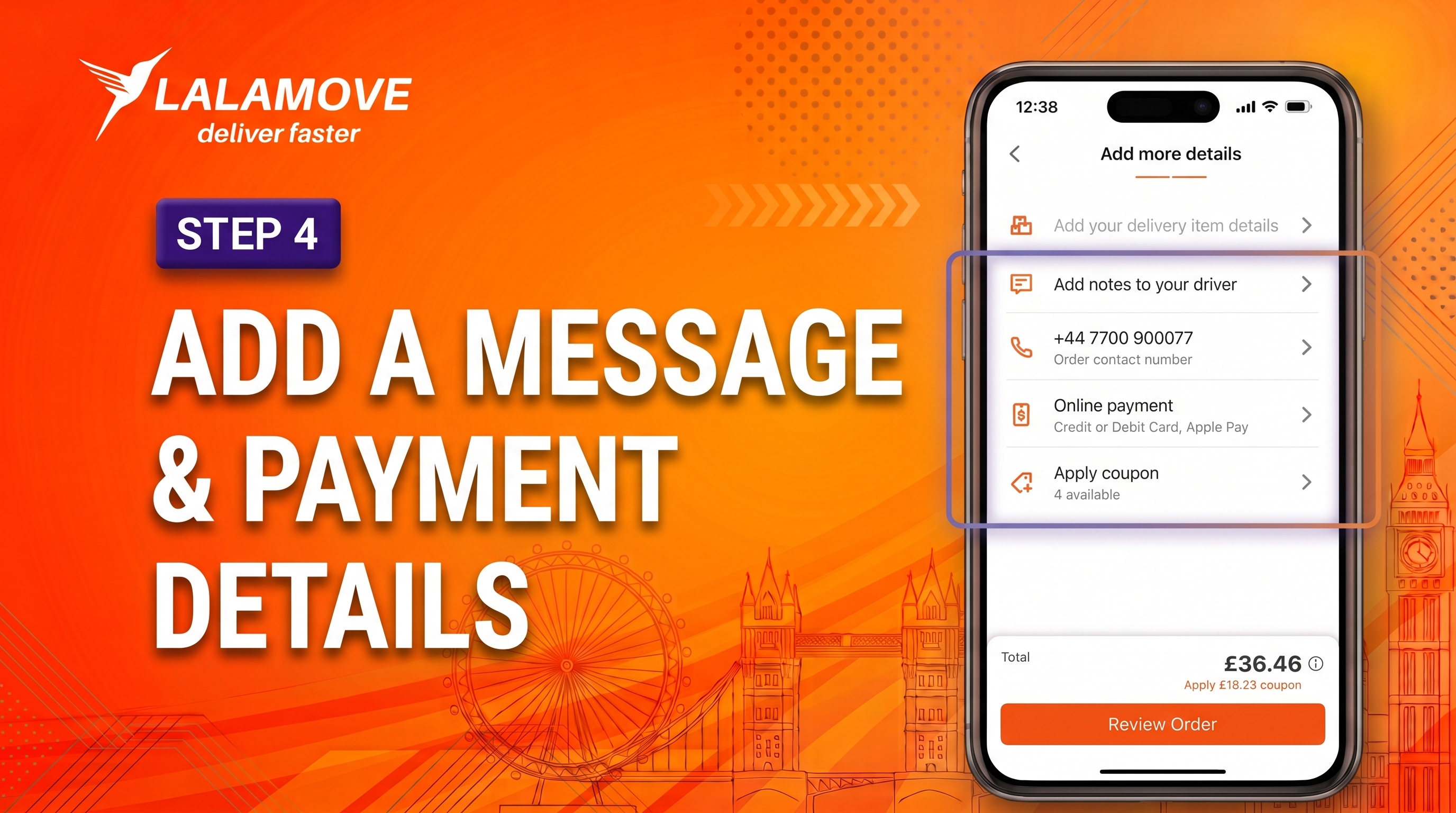
Step 4: Add delivery notes and payment details
Before confirming your booking, add any reference information that will help the driver complete the collection and delivery.
Useful notes may include:
- “Please call on arrival”
- Flat, floor, unit or building number
- Reception, gate or entrance instructions
- Loading-bay or access details
- Number of parcels or boxes
- Relevant handling instructions
Next, check the contact details and select your payment method in the app. If you have a valid coupon or discount code, add it in the “Add coupon” section before placing the order.
Tip: Keep delivery notes short and specific. Do not include passwords, access codes or other sensitive information.
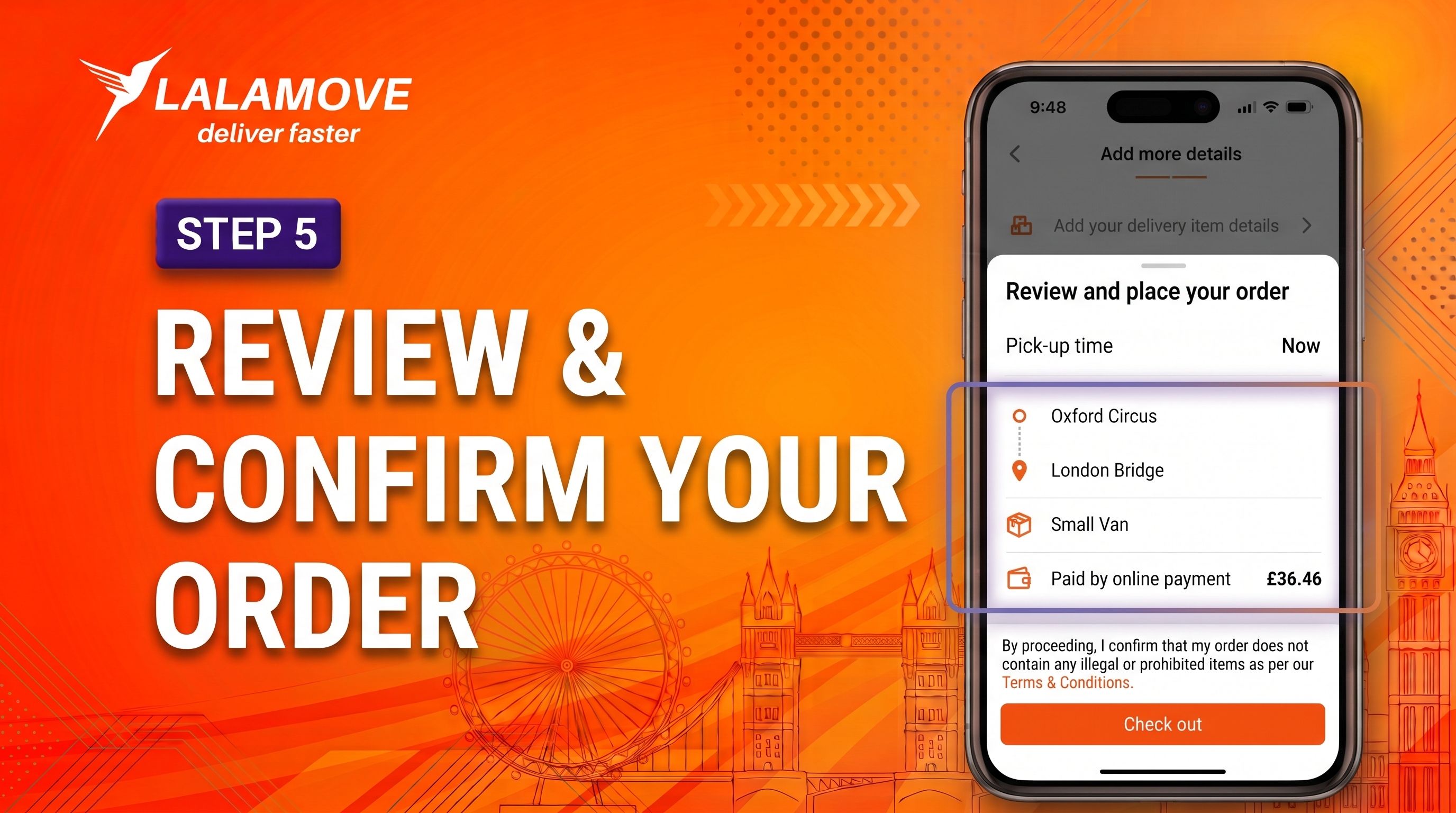
Step 5: Review and confirm your order
Before placing your order, check:
- Collection and drop-off locations
- Collection time
- Vehicle selection
- Contact details and delivery notes
- Additional stops and their order
- Payment method and displayed price
Review the price displayed in the app and check your booking details before confirming your order. Once everything looks correct, select “Place order.” Lalamove will then match your booking with a driver.
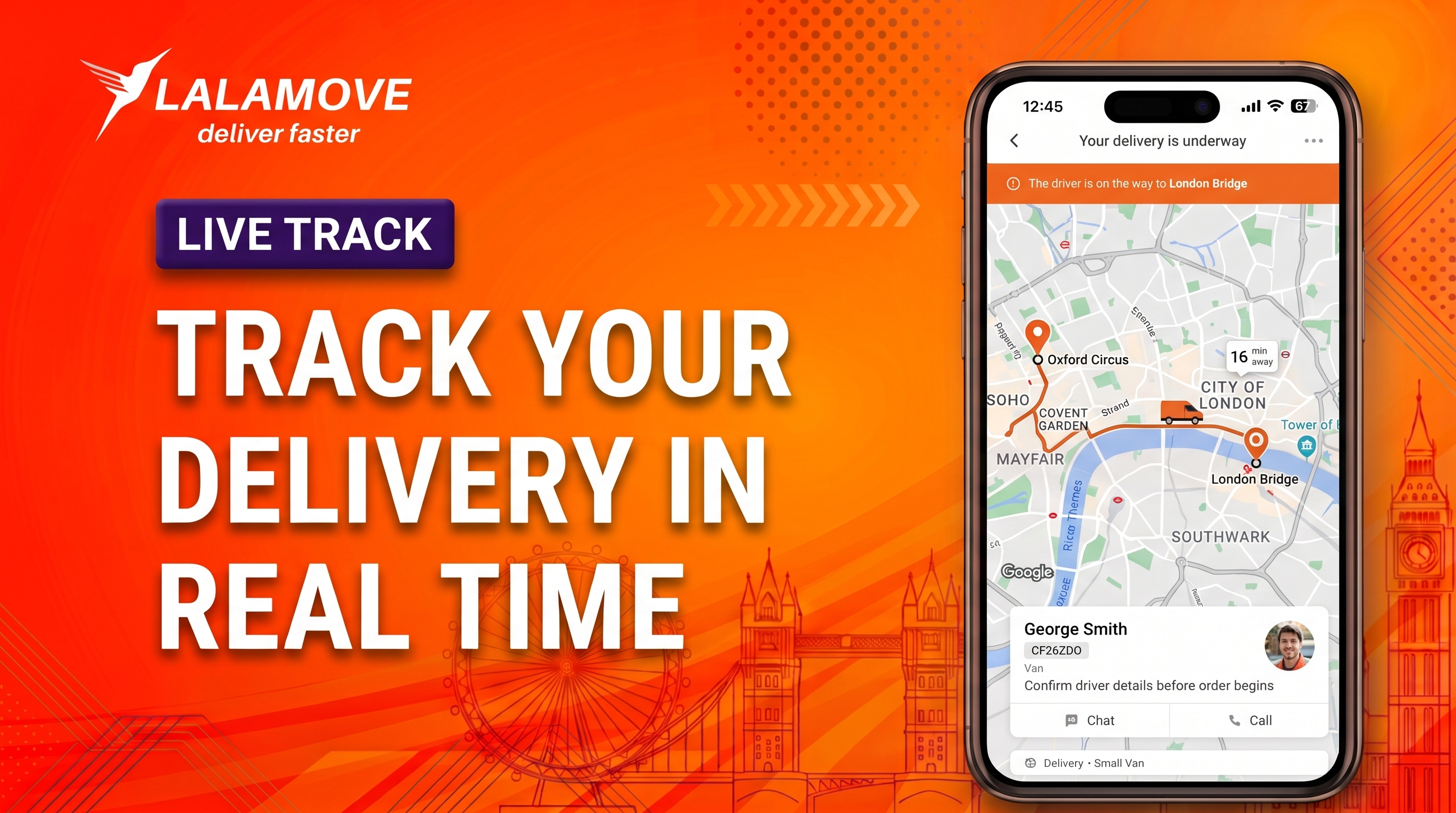
Your delivery is underway
Once a driver has been matched, you can view their details in the app and contact them using Chat or Call if needed.
You can also follow the driver’s location in real time from the order page. The app displays an estimated arrival time after a driver has been matched; this is for reference and may change because of traffic, weather or other unexpected conditions.
Sending an item to someone else? Select “Share” on the order page to send tracking information to the recipient. They can then follow the delivery and view its estimated arrival time.
Ready to place your first order?
Download the Lalamove app, enter your collection and drop-off locations, and select the delivery option that works for you.
Ready to send your first delivery? Download the Lalamove app
App Store or Google Play Store