Sending items across London is easy and affordable with Lalamove. We’ll show you how to create your user account in just a few simple steps so you can start sending items!
Step 1: Download the Lalamove App
Head to the App Store or Google Play Store to download the Lalamove User App. Look for the orange icon with the hummingbird logo. Be sure to download the Lalamove User App, not the Driver App.
Step 2: Enter Your Details
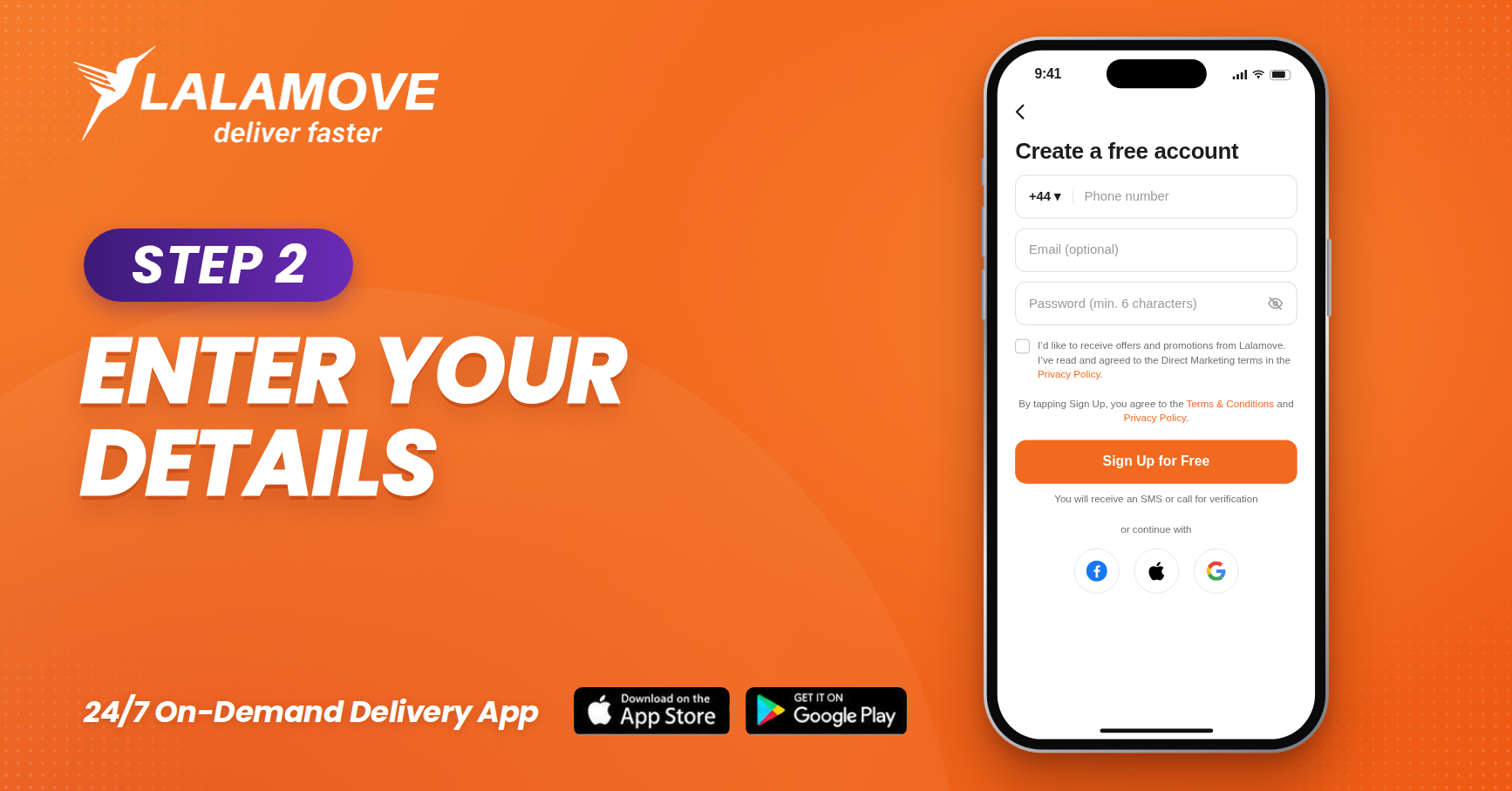
Fill in the required fields:
-
Phone number (with country code +44)
-
Email address
-
Password (minimum 6 characters)
Make sure to use a valid phone number and email address so you receive all updates about your deliveries.
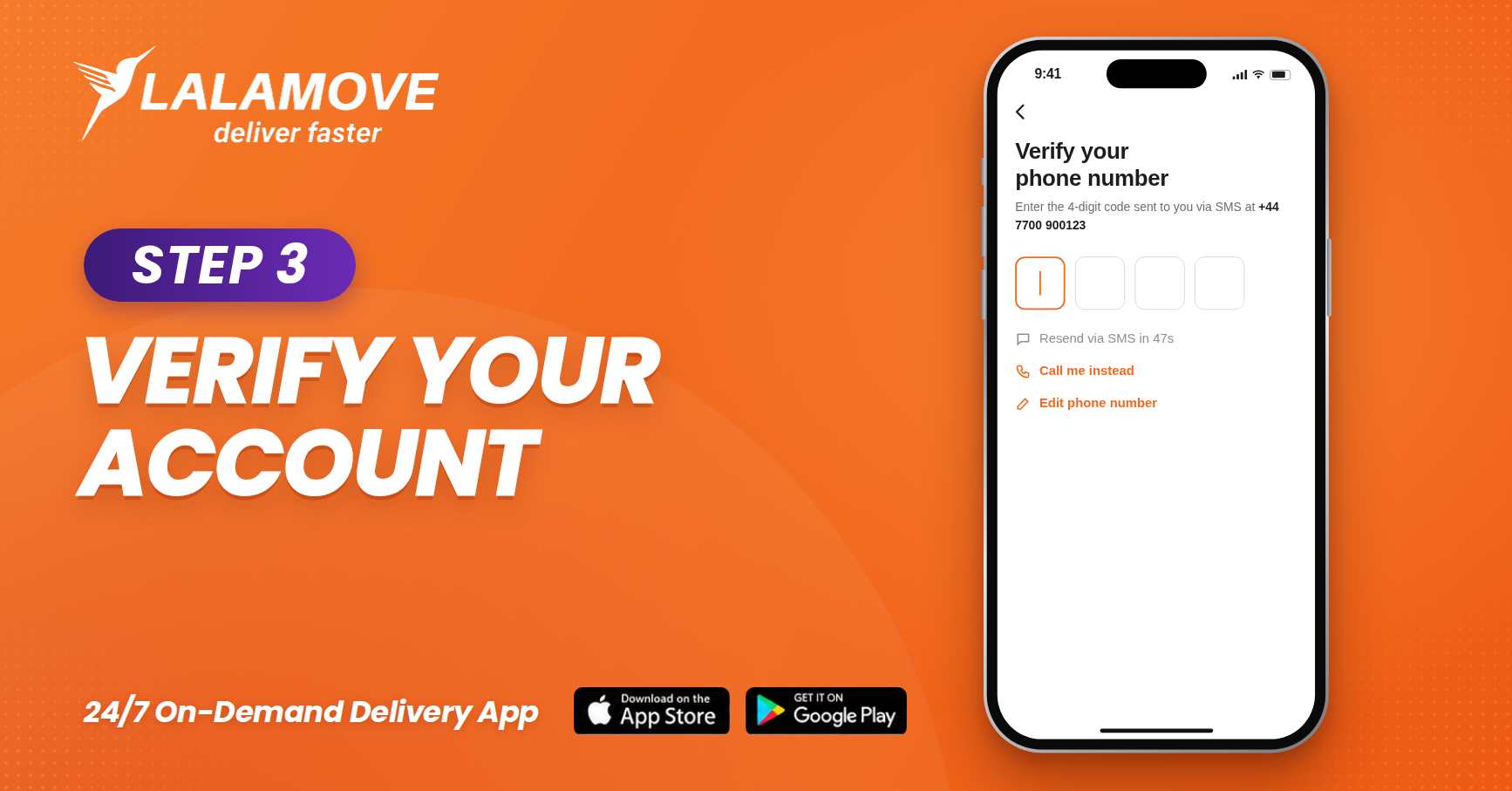
Step 3: Verify Your Account
Check the box to accept the Terms & Conditions and the Privacy Policy. Then, tap "Sign Up for Free".
You may receive an SMS or a call to verify your account.
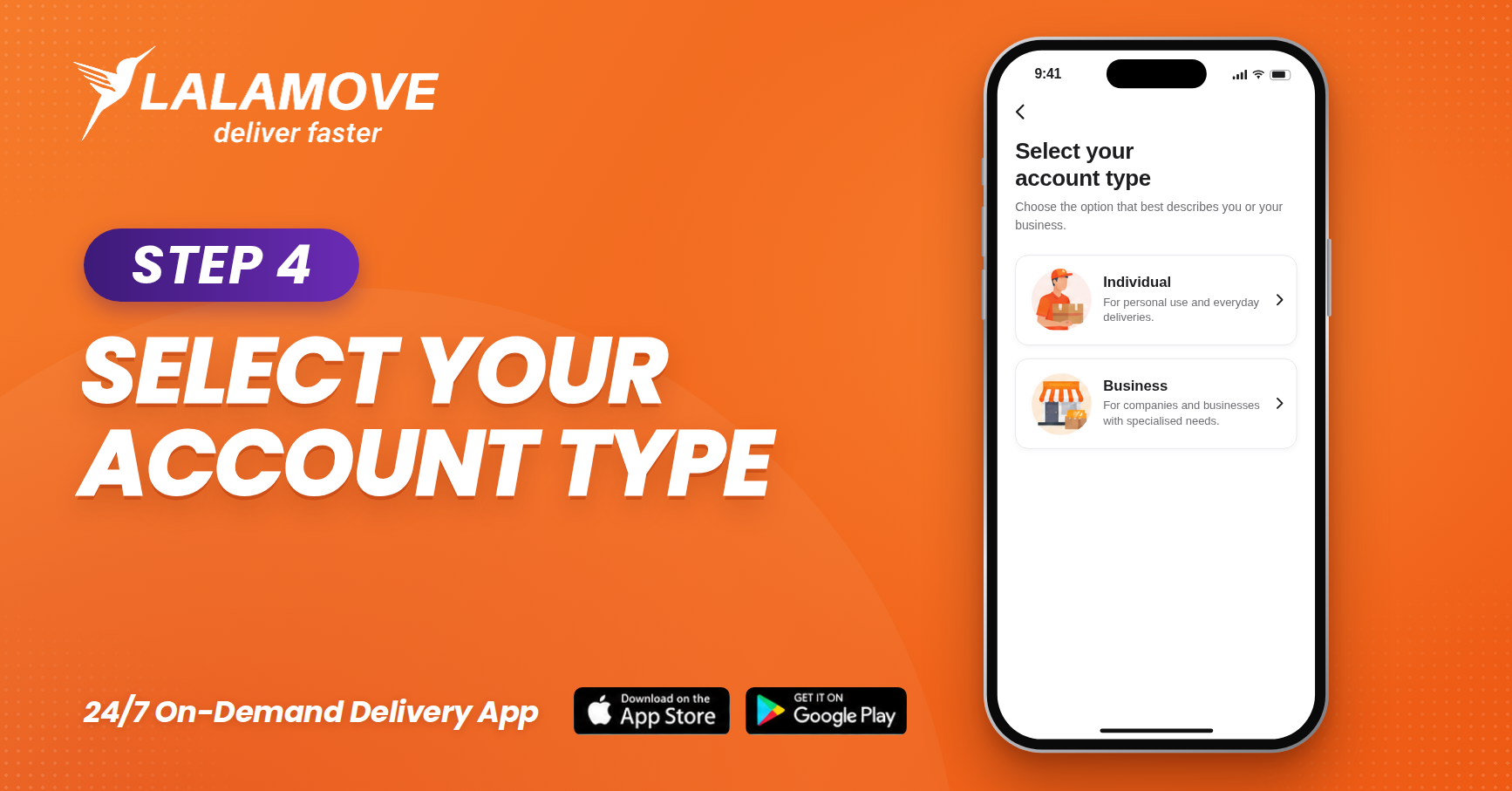
Step 4: Select Your Account Type
Open the app and tap "Get Started" to sign up. Next, select your account type.
You can choose between Individual or Business based on your delivery needs, but only business accounts can enjoy functions like multiple users management, shopify integration and monthly corporate statement.
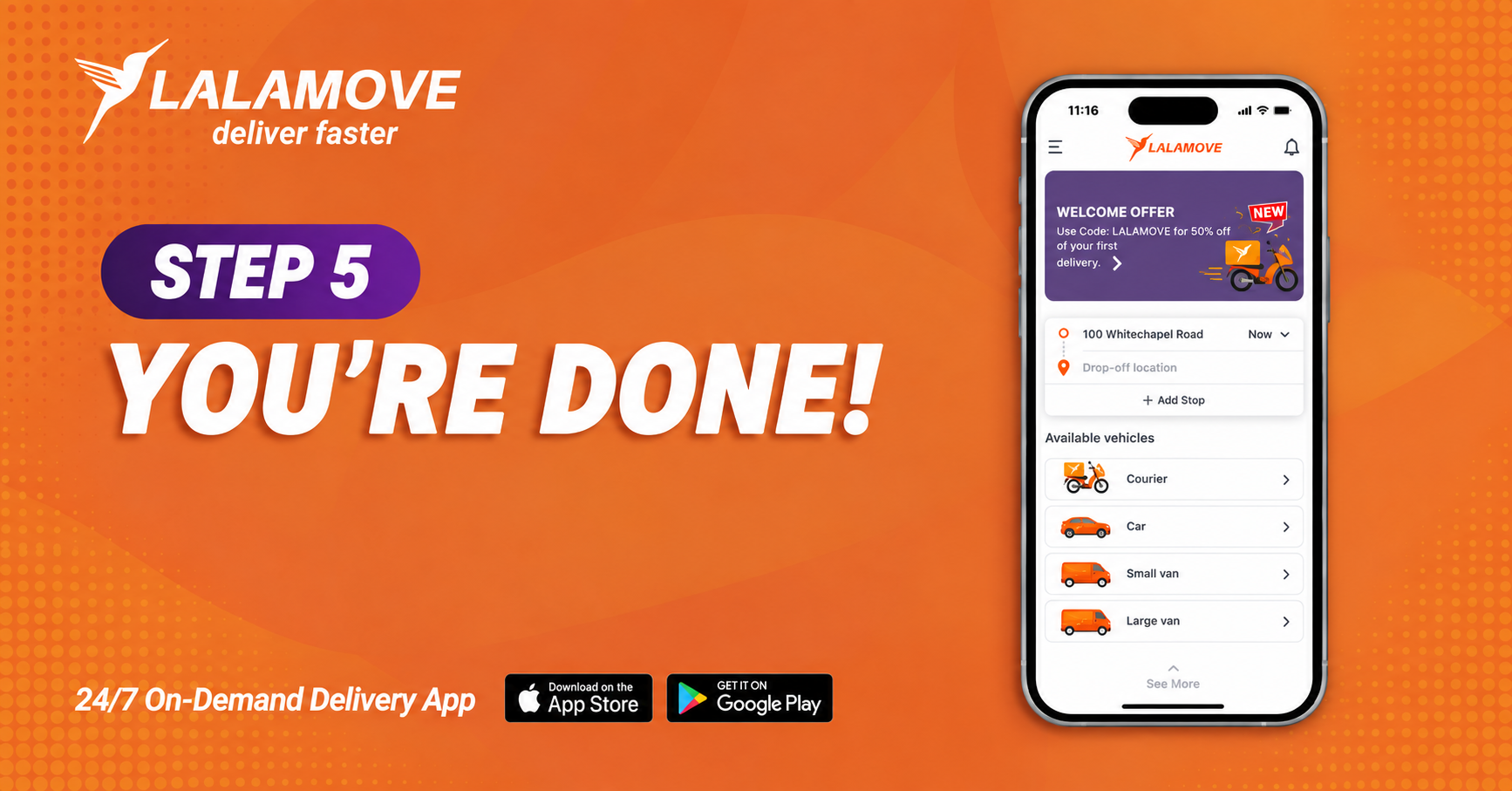
Step 5: You're Done !
You’re now registered and ready to start placing delivery orders. You can:
-
Book instant or scheduled deliveries
-
Choose your vehicle size
-
Track your driver in real-time
-
Pay via cash or card
Need Help?
If you need any help creating your account or booking a delivery, you can reach out to Customer Support at info.uk@lalamove.eu or in the app by tapping the “Help Center” tab.